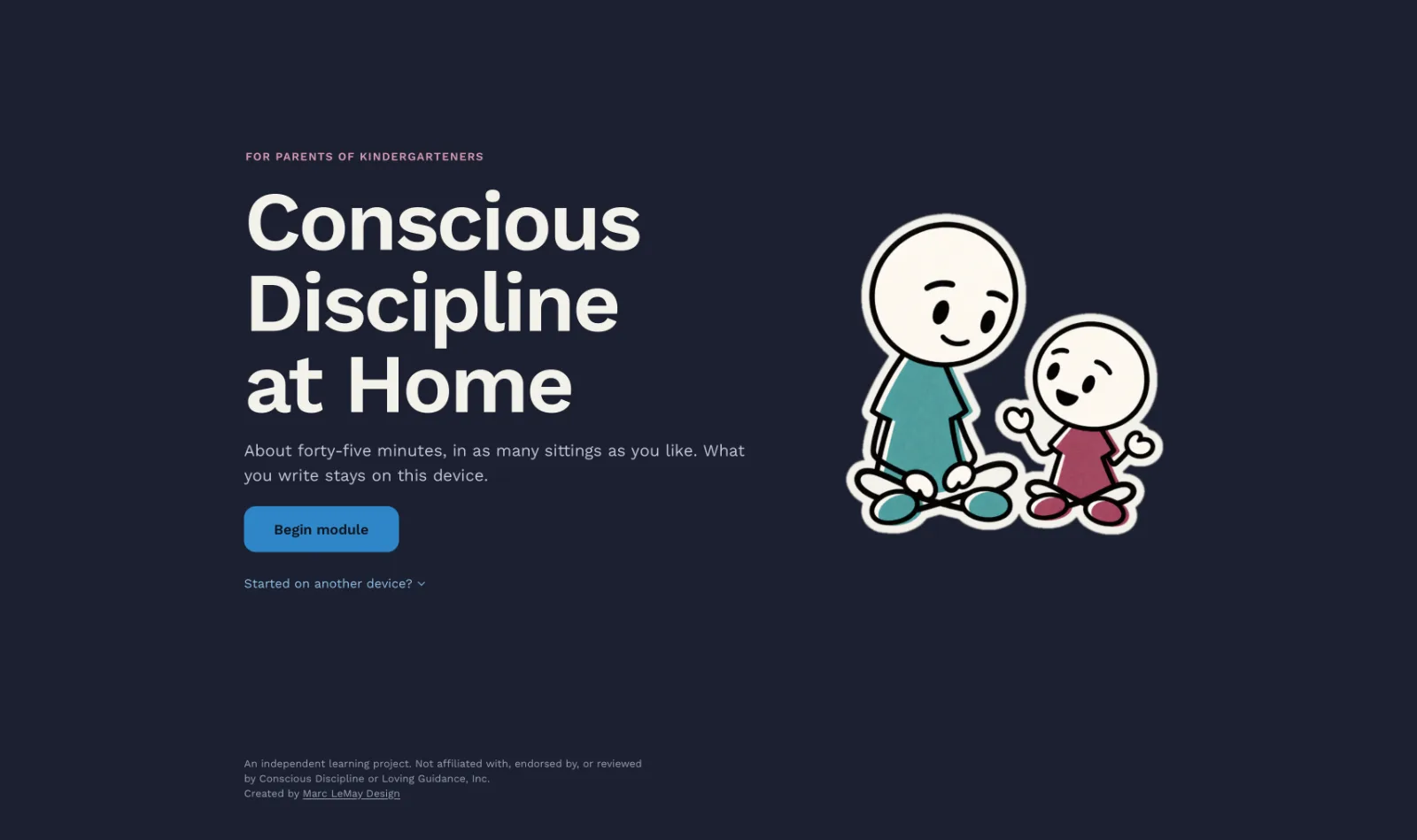
One hard morning, three sections, and the same morning again
It opens at 7:40 a.m., with the bus ten minutes out and a shoe thrown across the room, and asks the parent what they’d say. At the end it brings them back to 7:40 to compare their first answer with their last.
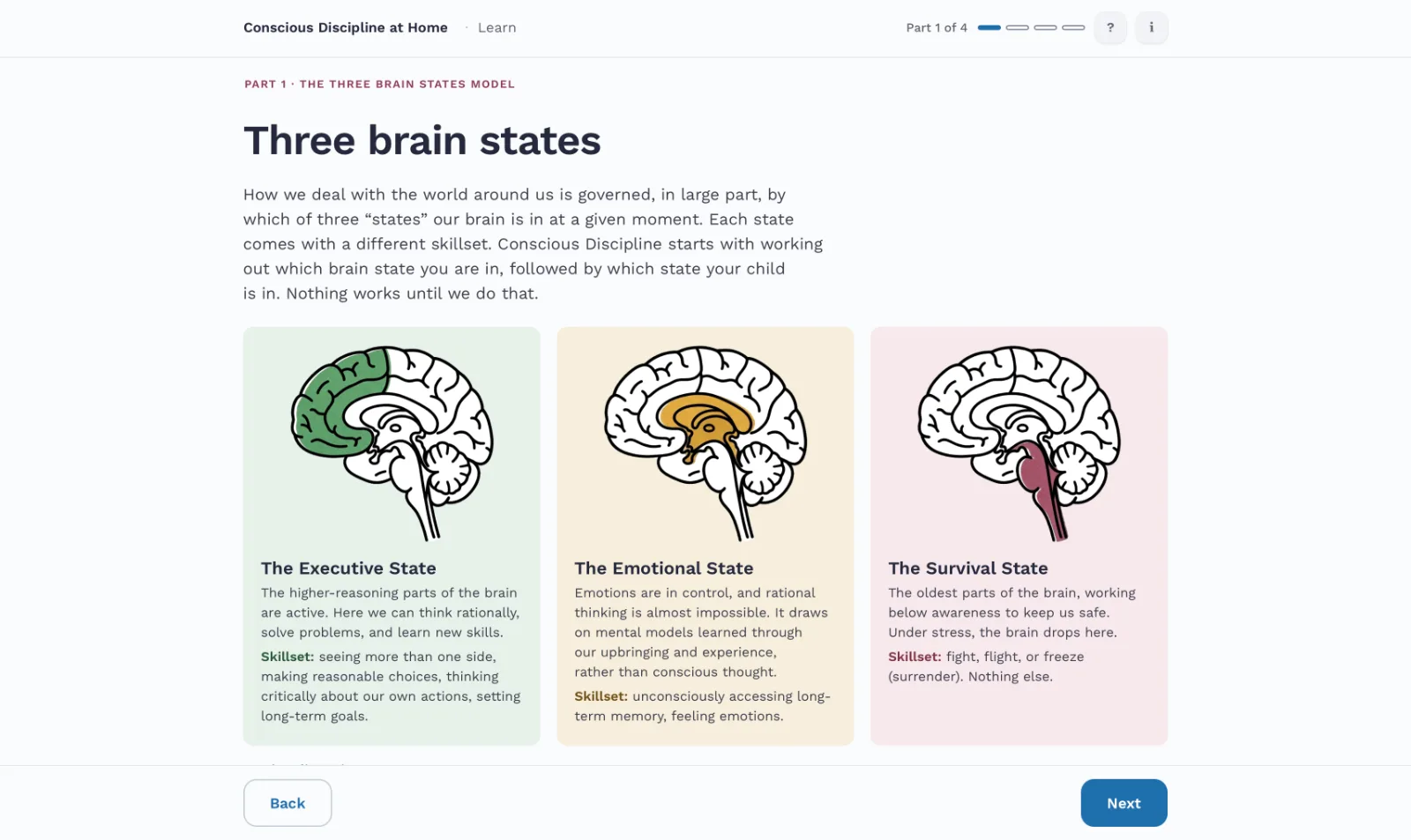
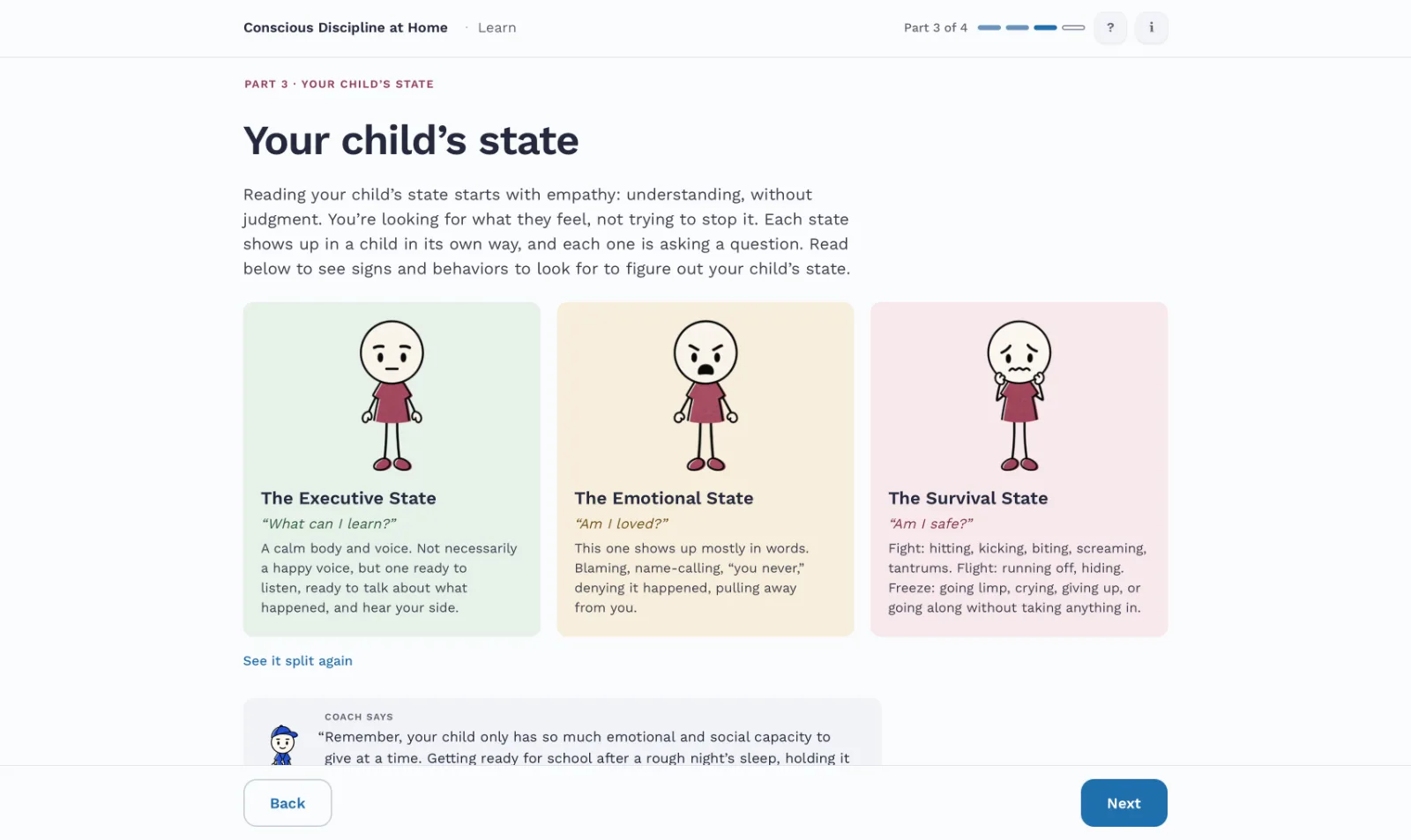
The three brain states: your own state first, then your child’s, then what each state needs.
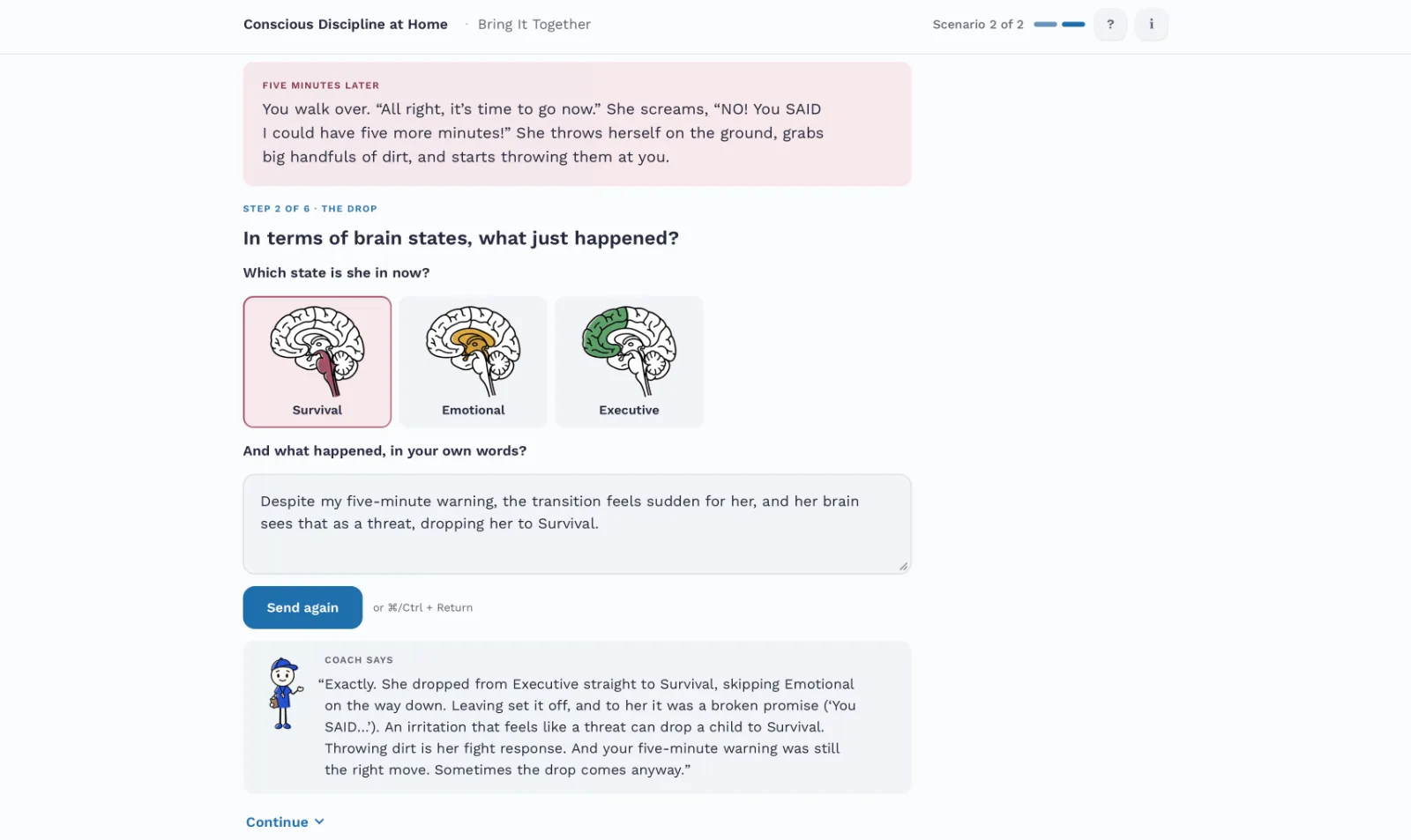
Two new scenes, worked step by step, with the Coach answering each step as it’s written.
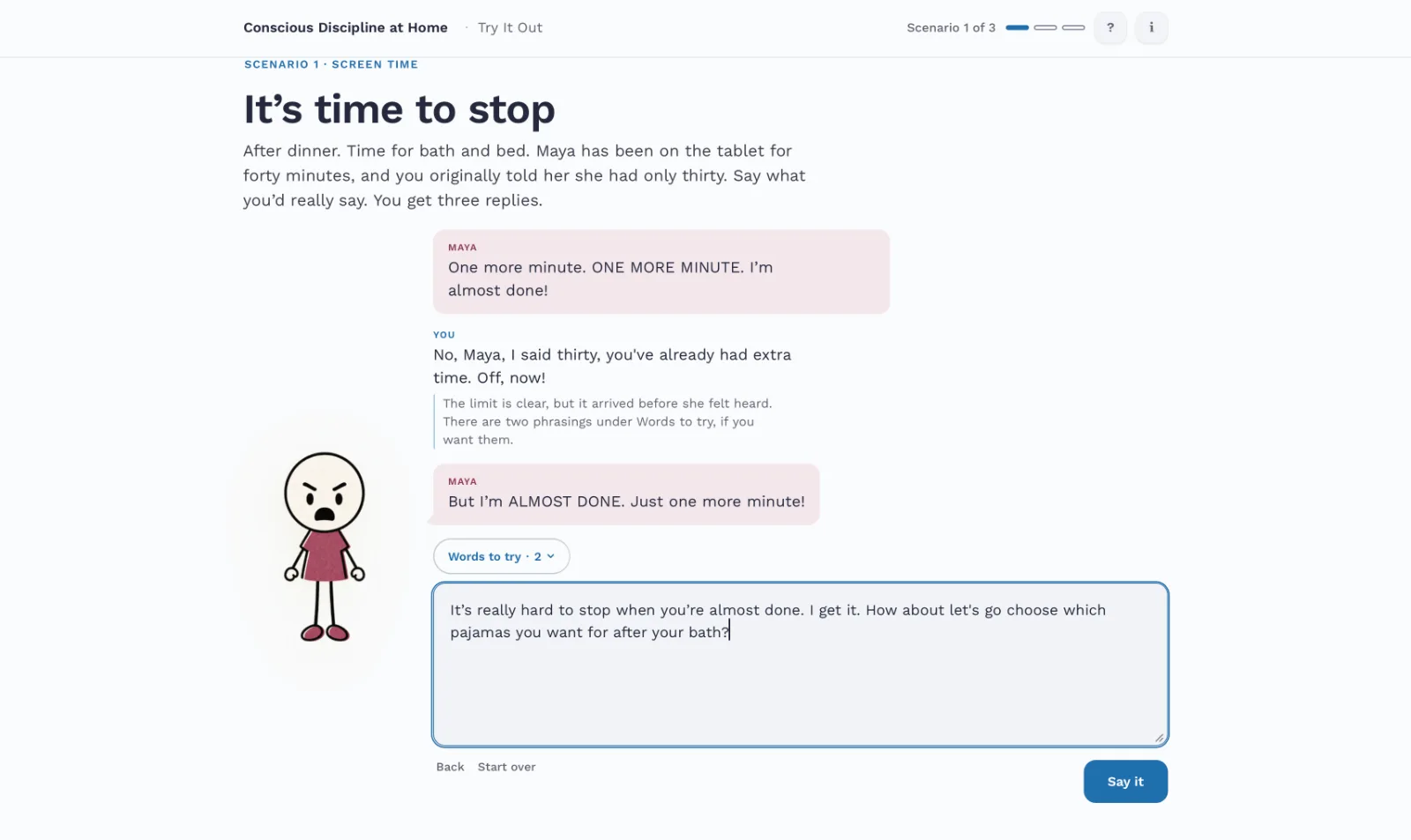
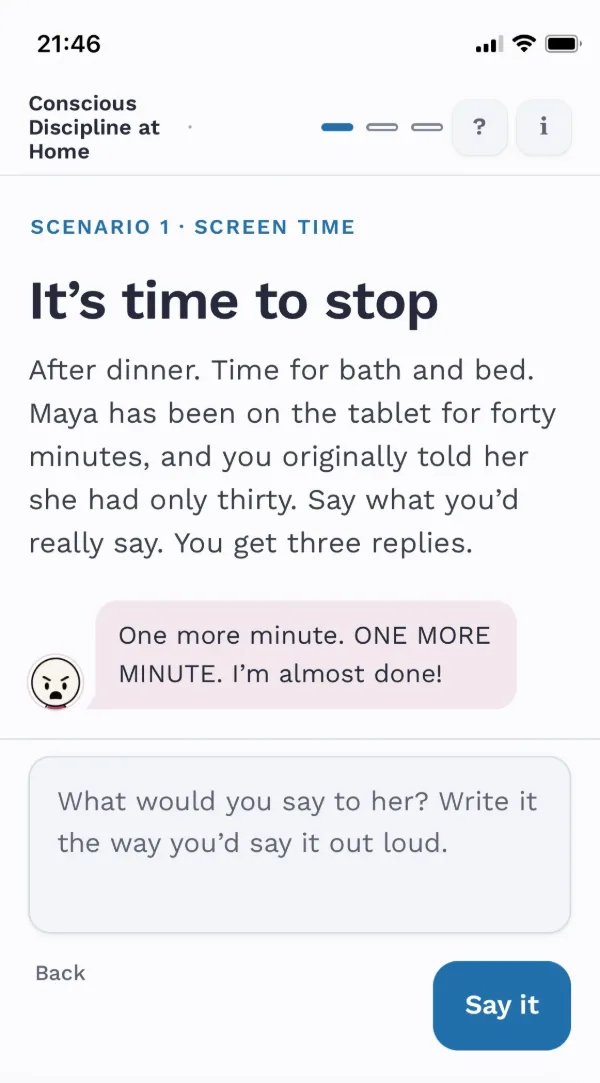
Three conversations with Maya, a five-year-old who responds to what the parent actually types.
You first.
Then them.
Then what their state needs.
Every decision had to help it
When I began the build, I wrote the core parts of the module on a Post-it to hang over my desk. Each part is a learning objective: read your own state and your child’s, meet the need of the state they’re in, and climb one state at a time. After that, a decision stayed only if it helped that idea. If it worked against it, or added nothing, it went.
Seven calls that shaped it
From a log of more than a hundred. Each one names what it replaced.
Typed answers, read for moves, never scored
Instead of multiple choice and a percentage
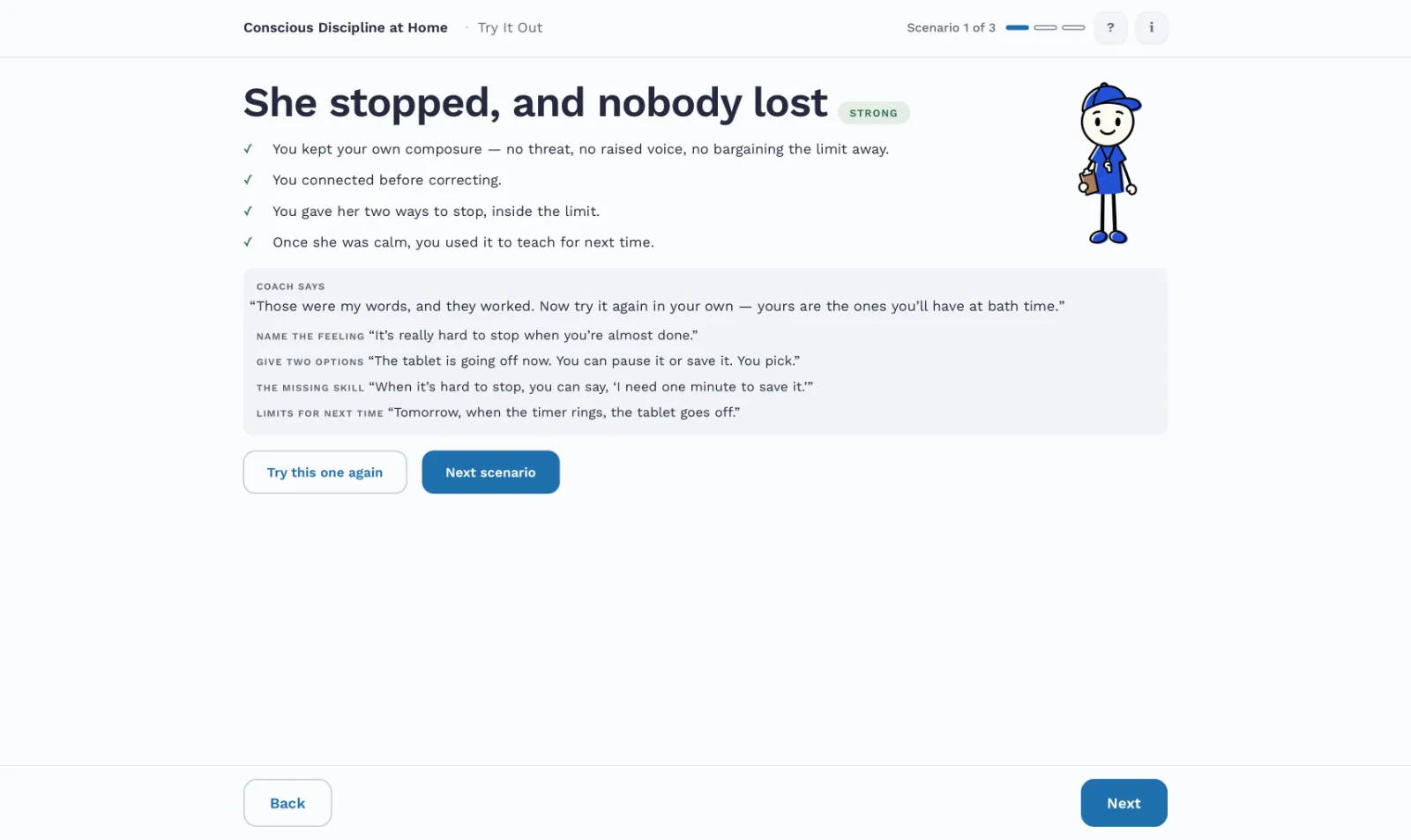
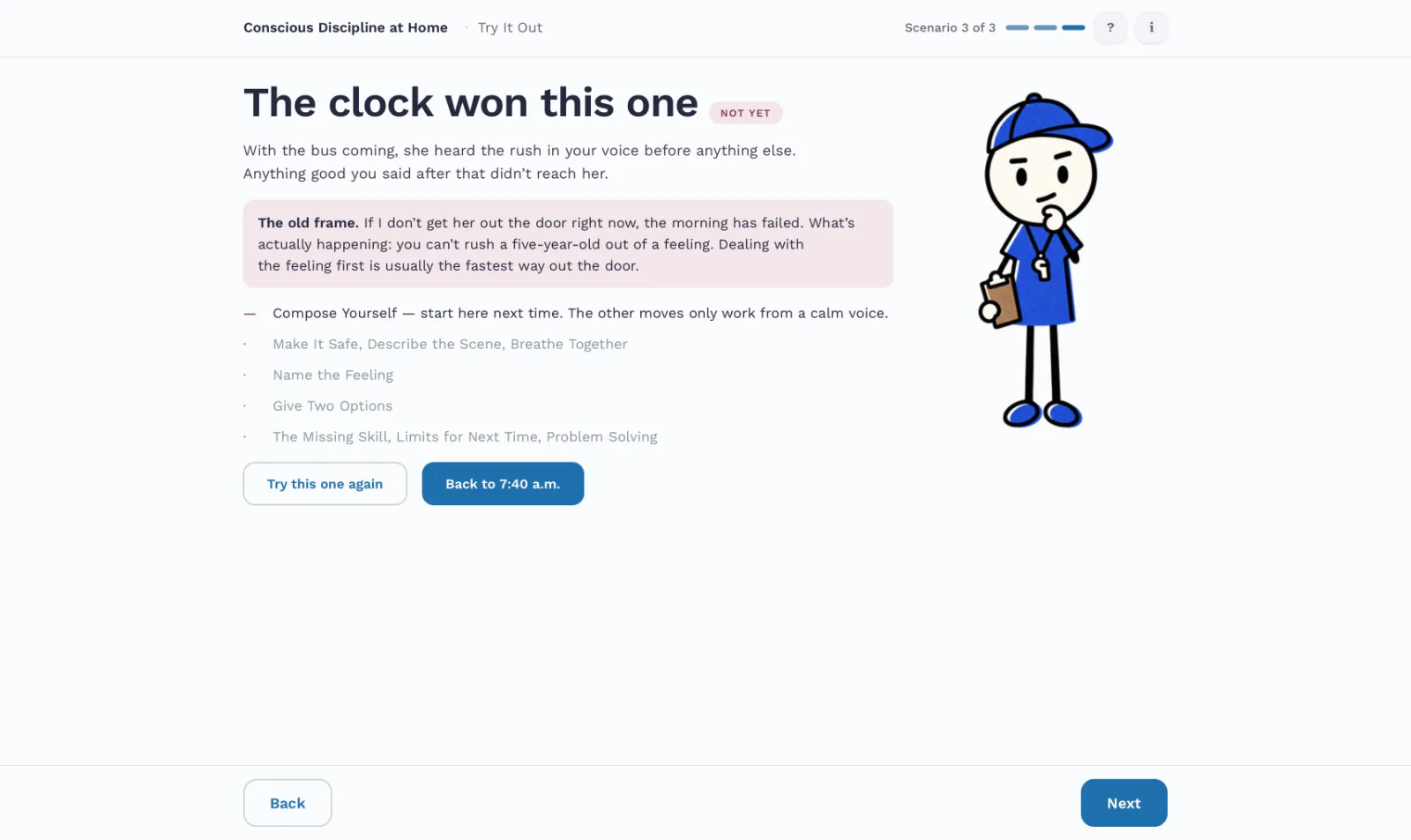
Multiple choice tests whether someone recognizes the right answer. Nobody hands a parent four options at 7:40 a.m.; they have to find the words. Learn eases them in with quick “Helpful or hurtful?” checks, then they get two main assessment sections. Everything that counts is typed, and each scene ends Strong, Nearly there, or Not yet, with the moves made and missed named. A number on a parenting answer reads as a verdict on your parenting. The principals who reviewed it put it the way they put it to their staff: “it never ends, and you can’t mess it up.”
Rules, not a language model, read the answers
Instead of AI scoring
An AI model could read meaning and nuance better. But the module promises that nothing a parent types leaves their device. The rules read order as well as content: calm down, make it safe, and only then explain. The cost showed up in the first test as a false Not yet, and I widened what the rules accept rather than switching. An opt-in AI Coach is planned for version 2.
Maya answers what you actually say
Instead of a fixed script
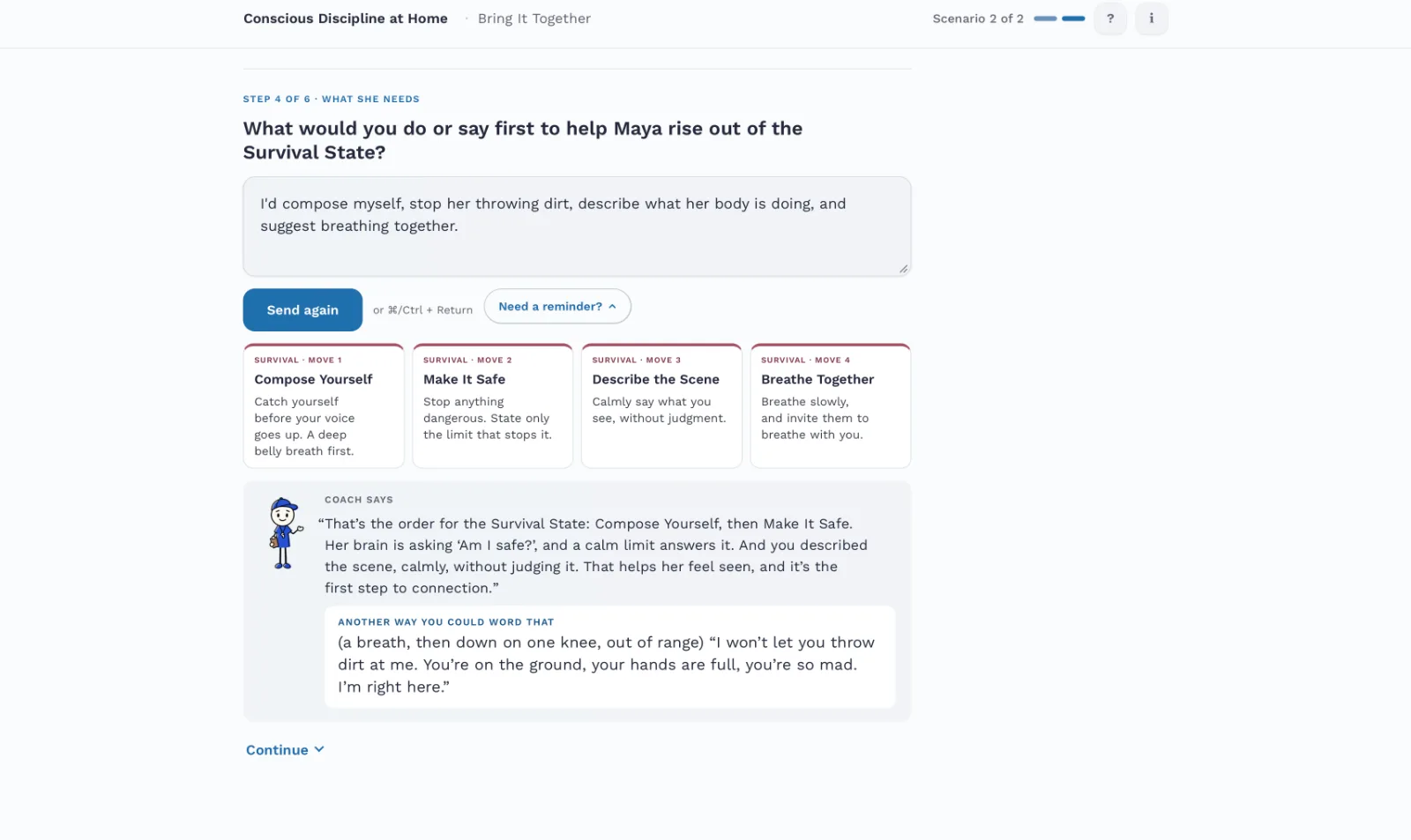
In Try It Out, Maya’s state moves with each reply. Heated words drop her a state; naming her feeling lifts her one. She climbs one state at a time, so the third objective is something the parent does, not something they’re told.
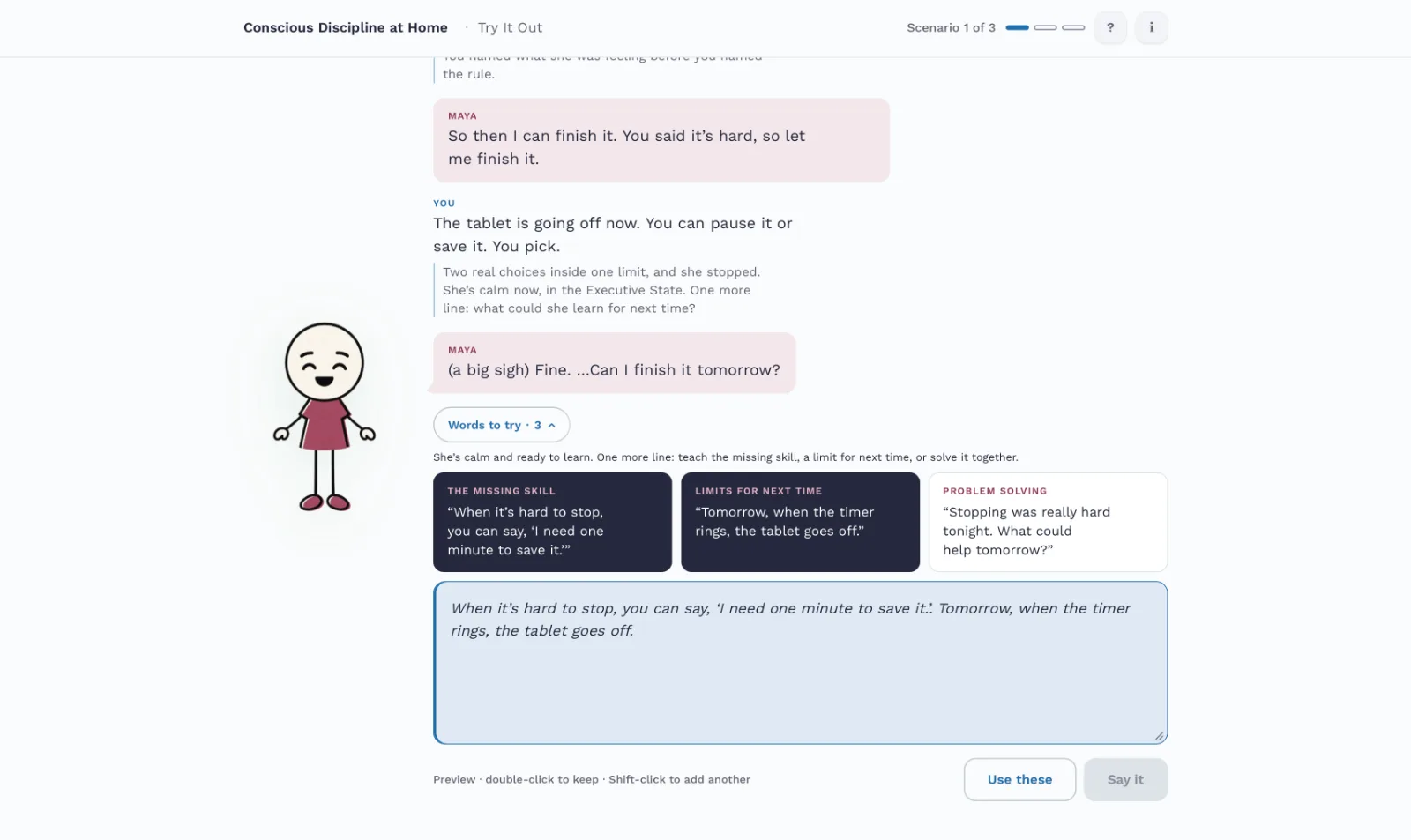
Help that doesn’t do the work for you
Instead of hints on hand from the start
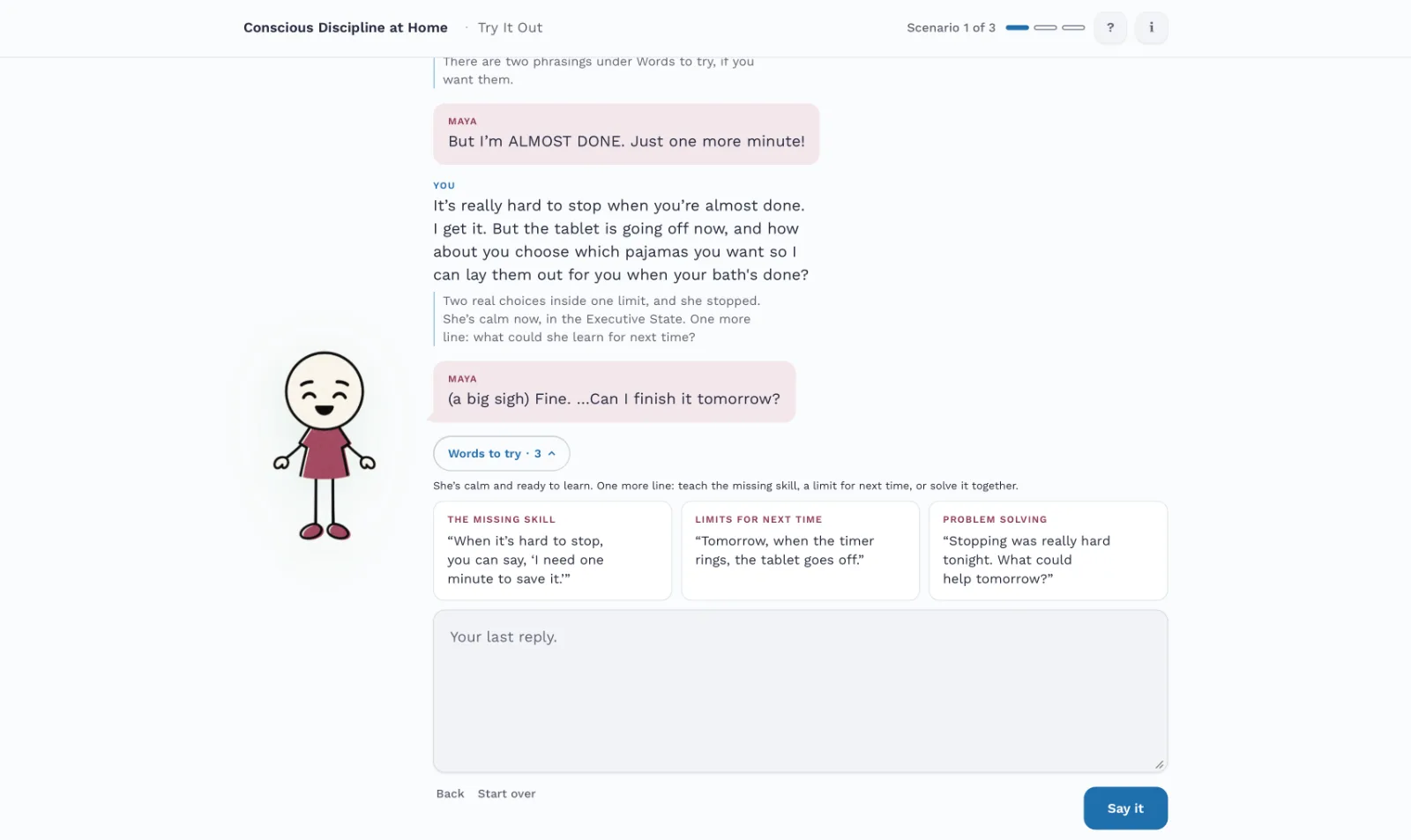
“Words to try” only opens after the parent’s first line, which is always their own, and they follow Maya’s state. A Strong built from the cards keeps its band, with a nudge to try it in your own words. Picking a phrase shows you understand it. Writing your own shows you can use it, and is the more transferable skill being learned.
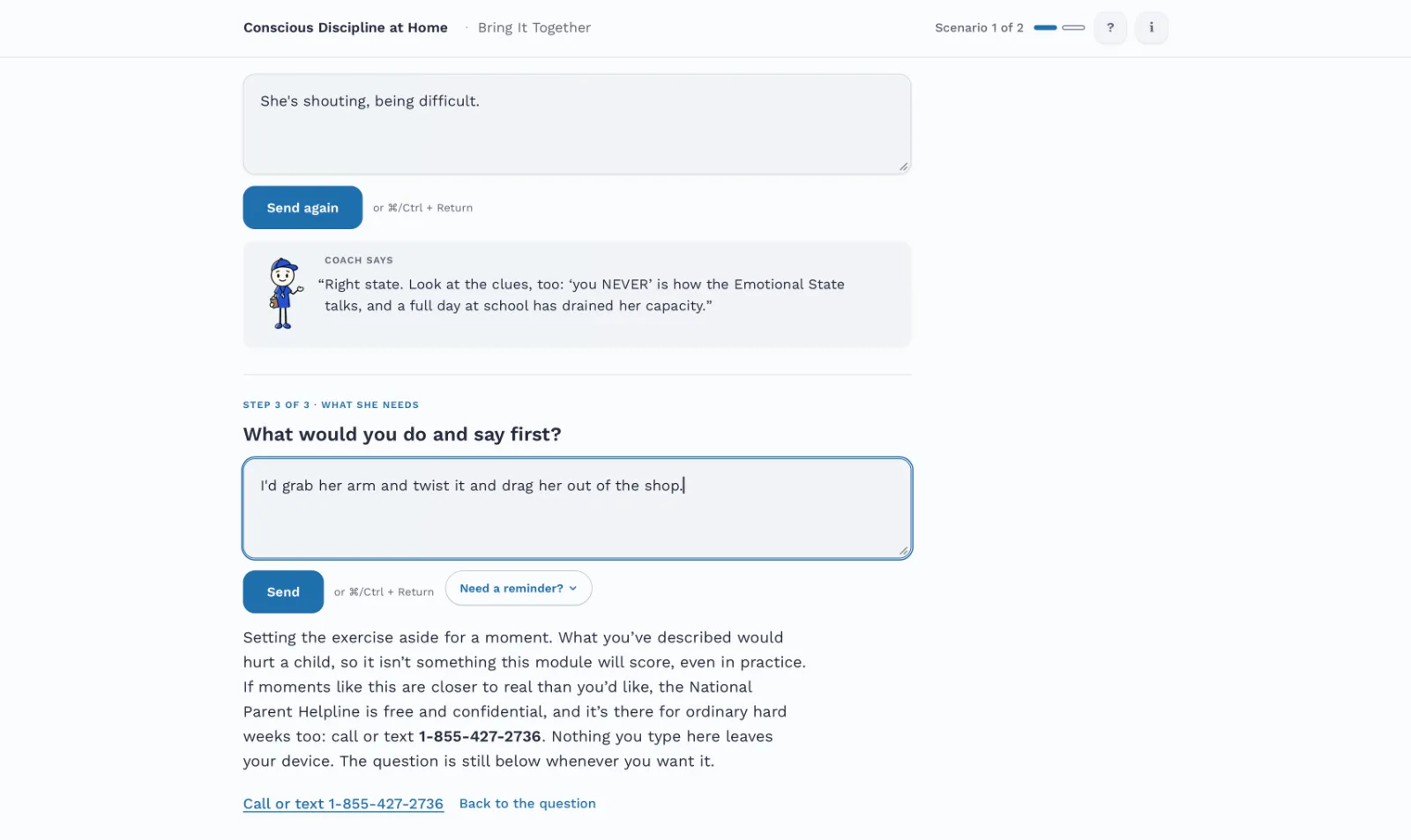
A safety check before anything is scored
Instead of scoring whatever is typed
Ask parents what they’d really say, and some will tell you something no practice module should grade. It could be a real red flag, or maybe just a parent letting off steam. But either way, every answer passes a safety check first. If it fires, nothing is scored or saved, and the parent sees a short response written for that situation. Each one acknowledges what they said without assessing it.
Rebuilding Learn after one test
Instead of patching the screens she stumbled on
The first parent spent thirty minutes in Learn working out what it was for. I set the old structure aside, my own draft included, and rebuilt it around the three brain states, the spine the program itself uses, with every screen tagged to the learning objective it serves.
Assess only what Learn teaches, by the same name
Instead of a rubric that drifted from the lessons
Before beta, I audited Learn against both assessments and closed every gap. Learn’s mini-checks practice the same moves, by the same names, that the typed answers are read for. A terms ledger makes sure each term is taught once, before its first use, and means the same thing everywhere it’s tested.
The reasoning for these, and the rest, is in the Design Decision Record.
Tested with people, and changed by them
Until the first test, nobody who didn’t already know the material had seen it. The first test failed, plainly, and the plan moved from ADDIE’s order to SAM-style rounds of testing and revising.
Thirty minutes in Learn, confused on nearly every screen. A good first answer, marked Not yet. I logged 113 findings, each with her words, my read, and a decision.
Learn rebuilt around measurable objectives. Test Your Knowledge, which gave parents a single reply to type, replaced by Bring It Together, which walks them step by step through the processes they just learned.
The teaching order was right: the adult’s state, then the child’s, then the state’s need. In all their training on the program they had never seen one that uses interactive role-play scenarios.
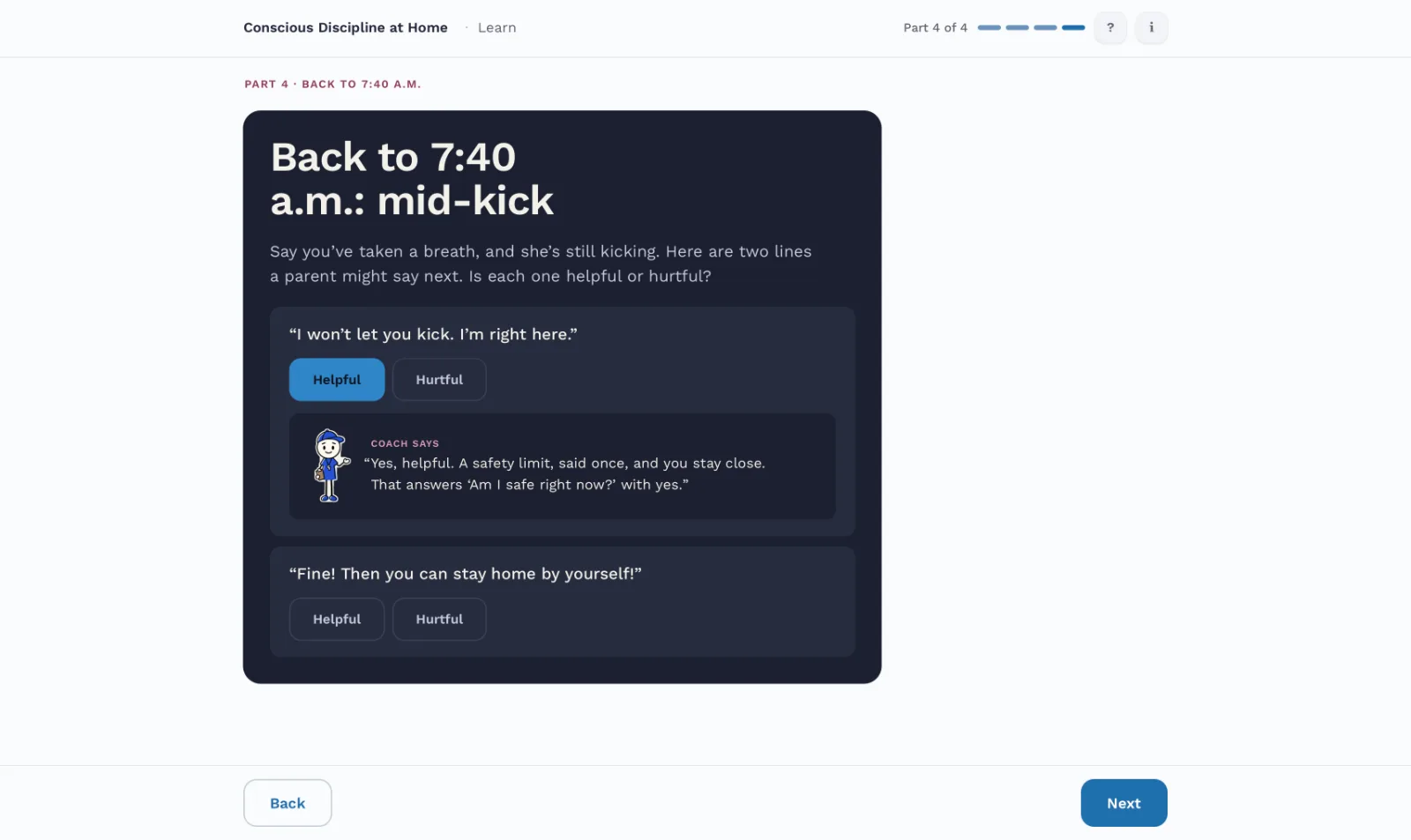
The role-play leads. “Helpful or hurtful?” checks in Learn. A step to read the child’s state from the signs before deciding what to say.
A line-by-line review by a representative of the program, then trusted parents, each with a screen-by-screen feedback form so their notes come back specific enough to act on. What they change goes here.
Audited, then walked with a screen reader
WCAG 2.1 AA, which covers everything Section 508 requires, on every screen at desktop and phone widths. The failures it found were fixed: a blue just under AA on its tint, links smaller than a fingertip, progress bars too faint to read as controls.
VoiceOver, multiple passes, on an iPhone and a Mac. Each pass revealed issues that would make the module harder to use for blind and low-vision people; all issues were resolved.
Reduced motion. Every animation has a still version.
Twenty years of course design, and new range
I have twenty years of teaching and course design in higher education, including e-learning, and longer still as a composer, where every commission was a project with a client, a budget, and a deadline. This year I added graphic design, UX, and front-end build. Claude Design built the module to my direction, code included. ChatGPT and Gemini made the images from my prompts. Claude and Gemini drafted first versions of scripts, the way a SME’s notes would, and I checked them against published sources and rewrote them line by line. The module itself uses no AI.
What AI couldn’t tell me was whether a screen teaches, or whether a tired parent will stay with it. The first real parent showed me where I’d got that wrong.
A post-beta wishlist
Spoken answers. The parent says it aloud and gets feedback on tone as well as words: practice in the medium the skill is actually used in.
An opt-in AI Coach that reads meaning and sarcasm the rules miss, with the parent’s consent.